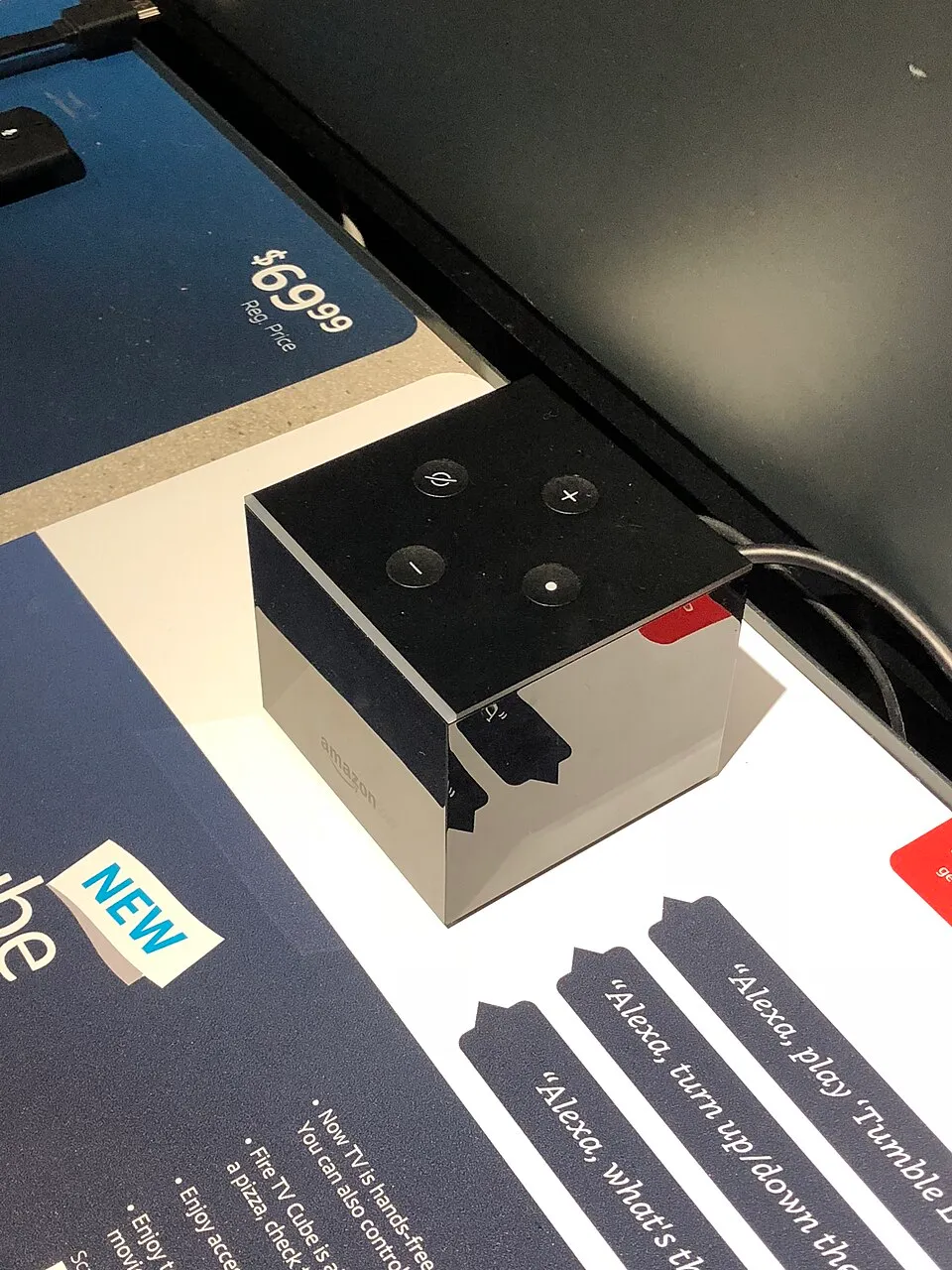
Fire TV Cube (3rd Gen) Review: Fastest Fire TV
Amazon's flagship box packs an octa-core chip, hands-free Alexa, and an HDMI input to run your whole AV setup. But at $140, does it justify the price?
- Released
- 2022
- Launch price
- $139
- Chipset
- Octa-core 2.0 GHz
- RAM
- 2 GB
- Storage
- 16 GB
- OS
- Fire OS
- Max output
- 4K @ 60fps
- HDR
- Dolby Vision, HDR10+, HLG
- Audio
- Dolby Atmos
- Connectivity
- Wi-Fi 6E, Bluetooth, Ethernet
- Ports
- HDMI 2.1 out, HDMI in, Ethernet, USB-A
- Remote
- Alexa Voice Remote Enhanced
- Dimensions
- 86 x 86 x 77 mm
- Weight
- 513 g
Bottom line: The Fire TV Cube 3rd Gen ($140) is the fastest Fire TV and doubles as an Alexa smart-home hub with hands-free voice and an HDMI input. Overkill for pure streaming — the $59 Stick 4K Max does that — but the ultimate box for households deep in Amazon’s ecosystem.
Overview
The Fire TV Cube 3rd Gen is Amazon’s most powerful streaming device. Unlike the Fire TV Stick, it’s a standalone box that sits beside your TV — and it includes an HDMI input so it can control external devices like cable boxes, soundbars, and AV receivers through Alexa voice commands. At $140, it’s squarely aimed at power users who want a smart home hub and a streaming device in one.
Performance
This is the fastest Fire TV device Amazon makes. The octa-core processor handles everything without hesitation: 4K HDR apps load in under two seconds, gaming titles in Luna run smoothly, and the system never stutters even with multiple apps running in the background. It’s closer to the NVIDIA Shield in raw performance than it is to the Fire TV Stick.
What We Liked
- Octa-core processor — the fastest Fire TV hardware by a wide margin
- Hands-free Alexa — say “Alexa” from across the room, no remote needed
- HDMI input — control your cable box or soundbar through the Cube
- Ethernet port — wired connection included
- eARC support — proper lossless audio passthrough to compatible soundbars
- Local voice processing — some commands work without an internet connection
What We Didn’t Like
- $140 is steep — the Fire TV Stick 4K Max does most of this for $59
- Amazon ecosystem still front and center — ads and Prime promotions everywhere
- Alexa can be noisy — accidental activations happen more than you’d like
- Runs hot — noticeably warm after extended use
- No Google Assistant — Alexa only
How It Compares
Within Fire TV, it’s the flagship above the Fire TV Stick 4K Max — you’re paying for hands-free Alexa, the HDMI input, and Ethernet rather than better streaming. For raw power and flexibility the NVIDIA Shield TV Pro is the closest rival, and it adds Plex hosting and Android sideloading the Cube can’t match. Like all Fire TV devices, it’s the right call mainly if you’re an Amazon household — see Android TV vs Fire TV vs Roku.
Verdict
If you’re deep in the Amazon ecosystem — Fire TV, Echo, Ring, Alexa routines — the Fire TV Cube is the ultimate hub. The HDMI input and hands-free Alexa are genuinely useful features you won’t find elsewhere at this price. For pure streaming performance without the smart home integration, the NVIDIA Shield is still the better buy.